

Spraye Lawn Care CRM - Making Managing Your Lawn Treatment Business Easier
5/1/2024 - By Harrell's

We
sat down with Caitlin Schlichting, the co-founder of Spraye Software, for a few tips on best practices when it comes to building (and
delivering) lawn treatment programs inside your CRM.
Why Lawn Treatment Businesses Should Utilize a CRM
Harrell’s:
Hi Caitlin, thanks for agreeing to answer a few questions about some best
practices for building lawn care programs in a CRM. Let’s jump right into it.
Why use a CRM at all? Why not just keep track of everything in a spreadsheet
and use Quickbooks to bill people?
CS:
I’m happy to help out! That’s a great question. We talk to lots of business
owners who have been doing exactly that for years. What we find is that lawn
care operators typically spend up to half of their work time on repetitive
tasks like scheduling, routing, customer notifications, billing, collections,
and keeping chemical records.
When
people like that switch to using Spraye, they tell us they save more than 2
hours every day on just those tasks. Those extra hours come in handy when you
can use them to generate revenue instead of using them on tedious work that can
be automated or streamlined. Even if you don’t want to grow, we have business
owners tell us they can finally spend time with their family at night instead
of being buried in office work.
So
here is how we look at it: if you are spending more than 30 minutes a day
currently on scheduling, routing, customer communication, record keeping, and/or
invoicing, you need to look for a CRM to help you out. How much revenue could
you generate with an additional 2 hours per day? Most CRM’s are well worth the
money you would need to spend.
Where to Begin with
Spraye Software
Harrell’s:
That makes sense. Where should someone start when entering their lawn treatment program inside
the CRM?
CS:
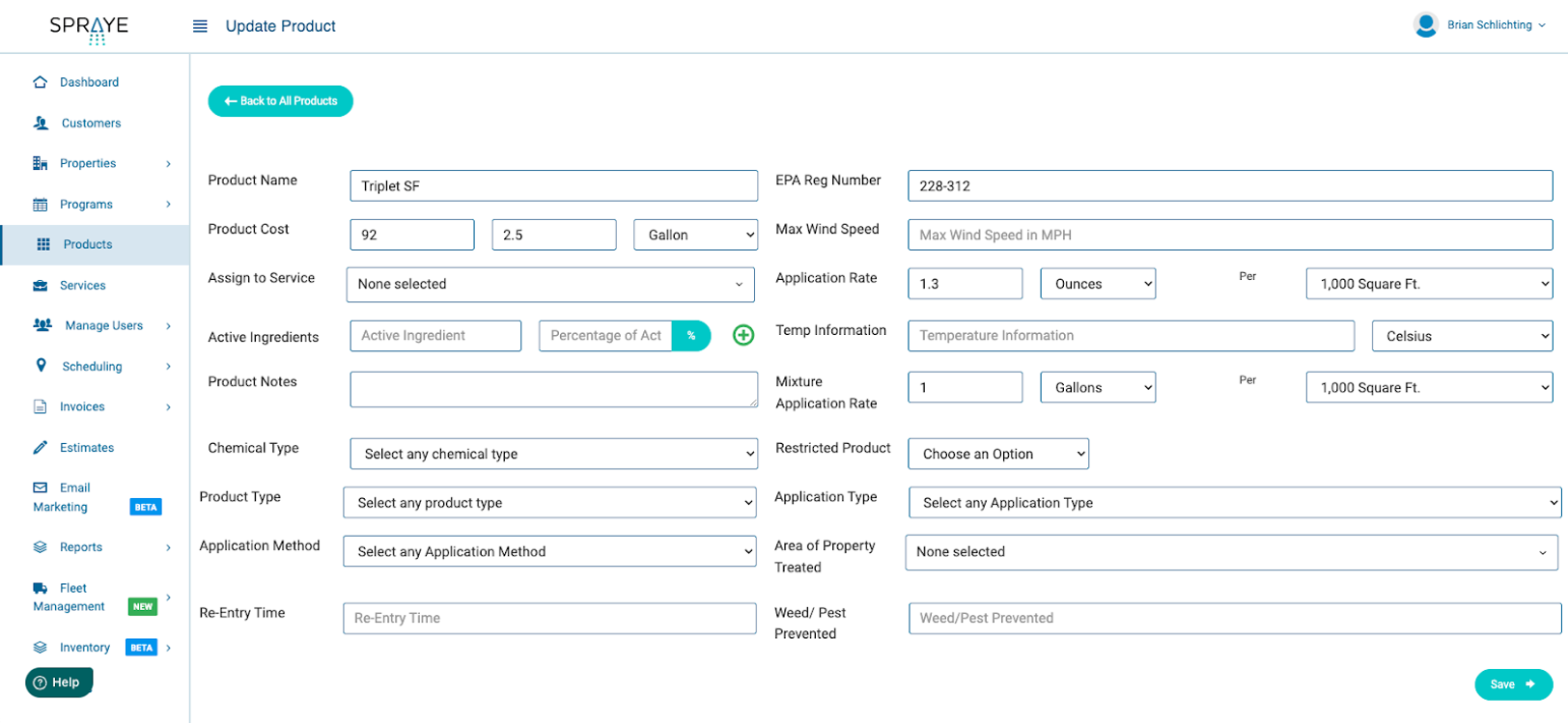
There will obviously be some differences in how to do this based on the
software each company is using, but the best place to start is entering any
chemicals or products you utilize into the system. Any CRM setup to handle lawn
applications should have a place for you to enter product information like EPA
numbers, application rates, and any other regulatory information you need to
track. I know Harrell’s reps do great with helping companies out with all the
information they need, but being knowledgeable about how to input products into
your system and getting them all entered should be step #1.
Harrell’s:
OK, we’re very familiar with that piece of the puzzle. What’s next?
Developing Your
Programs in Spraye
CS:
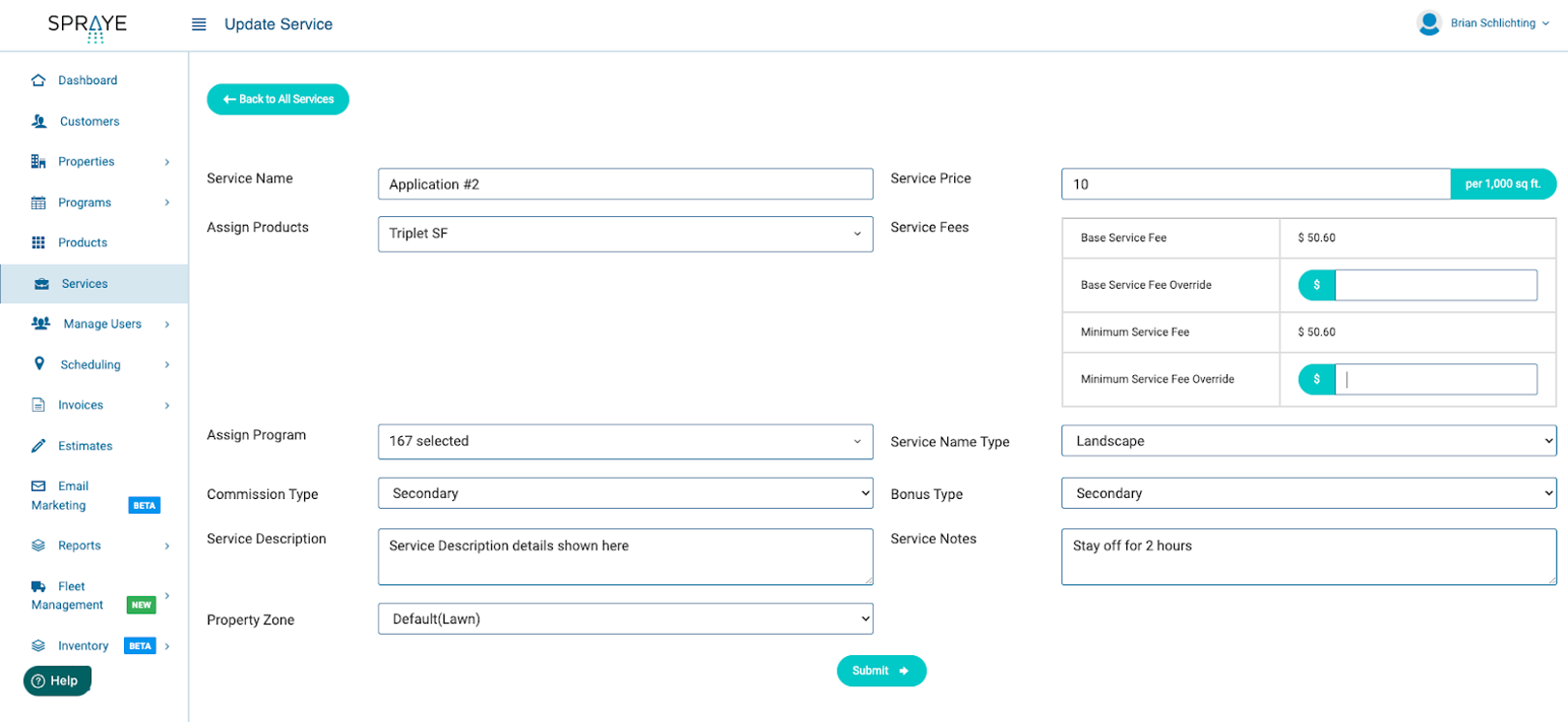
The next thing you will want to do is create each job or service that you are
going to do as part of your program. So if you do 6 rounds in your program, you
would need to build out each of those 6 services. Then you would add each of
those services to a program.
Some
CRMs call these packages, but we call them programs in Spraye. One thing to
keep in mind at this point is whether you want to sell one single program to
all of your customers or allow them to pick and choose which program they want.
In Spraye, you can build as many programs as you want out of the services you
build. So you might have a “Good, Better, Best” setup where customers could
choose which way to go.
Developing Your Program in Spraye – Common Mistakes/Things to Consider
Harrell’s:
That sounds simple enough. What are some things to consider when planning all
of this? Are there any common mistakes people make?
CS:
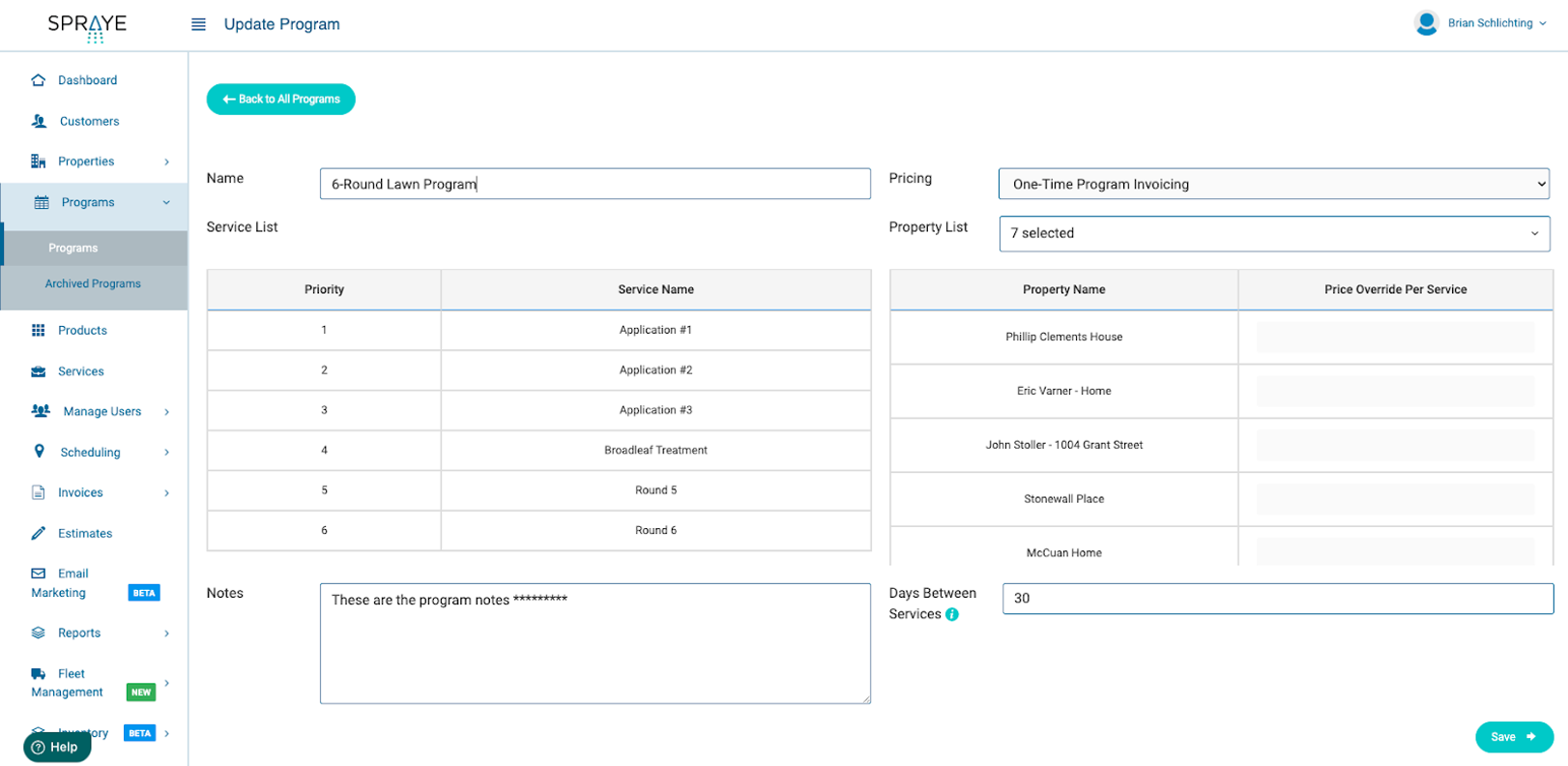
There are a few things to consider. First, when creating your program, how many
days do you ideally want to have between services? If your CRM allows you to
specify that information and use it to schedule, you will want to make sure you
have that added for each program. Next, do you want to price your services
differently for each round or take the total cost of the program into
consideration and price each service the same.
Another
thing to keep in mind is how you would like to be able to pull reports. If your
CRM uses programs to generate reports, you may want to separate programs based
on service type or commercial and residential. Again, what you want to do is
know how your CRM works and make any adjustments necessary before doing the
work of putting the program together. Once all of this is done, you are ready
to start creating estimates and assigning your program to customers.
Harrell’s:
Thanks for your insight! We appreciate you taking the time to join us. How can
someone who is looking for a CRM to help manage their lawn care business learn
more about Spraye?
CS: Thanks for having me! You can learn more or sign up for a demo at spraye.io.

Visit Spraye and
Contact Your Harrell’s Rep for More
For more information on Spraye and how it can help you to manage your lawn care programs, reach out to your local Harrell's Representative and visit the Spraye website for a demo.
Related Resources

In addition to being the nation’s largest distributor of branded fungicides, herbicides, and insecticides, Harrell’s produces custom-blended fertilizers, specialty liquids, and wetting agents. Additionally, Harrell’s is the exclusive US owner, formulator, and distributor of all POLYON® branded products.
TEAM HARRELL'S
STAY EQUIPPED
Never stop learning. Access FREE continuing education courses from Harrell’s.
LET'S GROW
PRESS RELEASES
PRESS RELEASES
STAY EQUIPPED
Never stop learning. Access FREE continuing education courses from Harrell’s.
LET'S GROW